Every student and staff member, on one card system.

NeiCARD designs, issues, tracks and reprints ID cards for your whole institution. Import an intake, issue cards across every campus, and keep a full history of every card ever printed.

Already using NeiCARD? Sign in to your institution →

Student cards Staff cards Multi-campus Reprints with reasons
✓ Card issued · Windhoek Main ✓ Reprint · reason recorded ✓ Intake imported from CSV
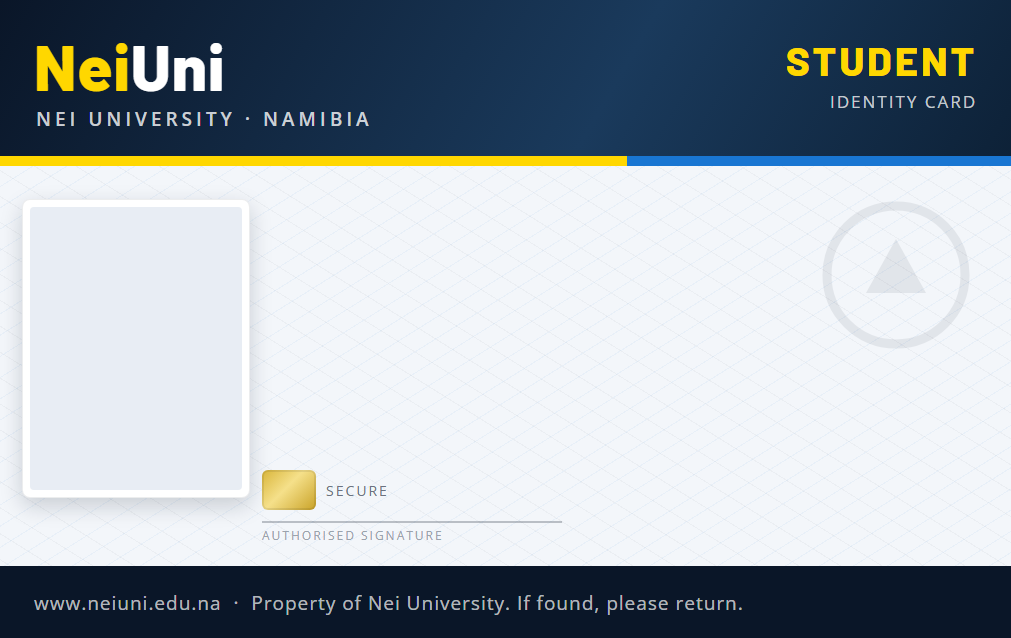
NeiUni student card template
Ndinelago Shivute
STUDENT NUMBER: 202600100
COURSE: BACHELOR OF COMPUTER SCIENCE
CAMPUS: WINDHOEK MAIN CAMPUS
ISSUED: 2026
UNDERGRADUATE
SRC PRESIDENT
Inside the system

The screens your registry team will use every day

Real screens from NeiUni, a demo institution running on NeiCARD.

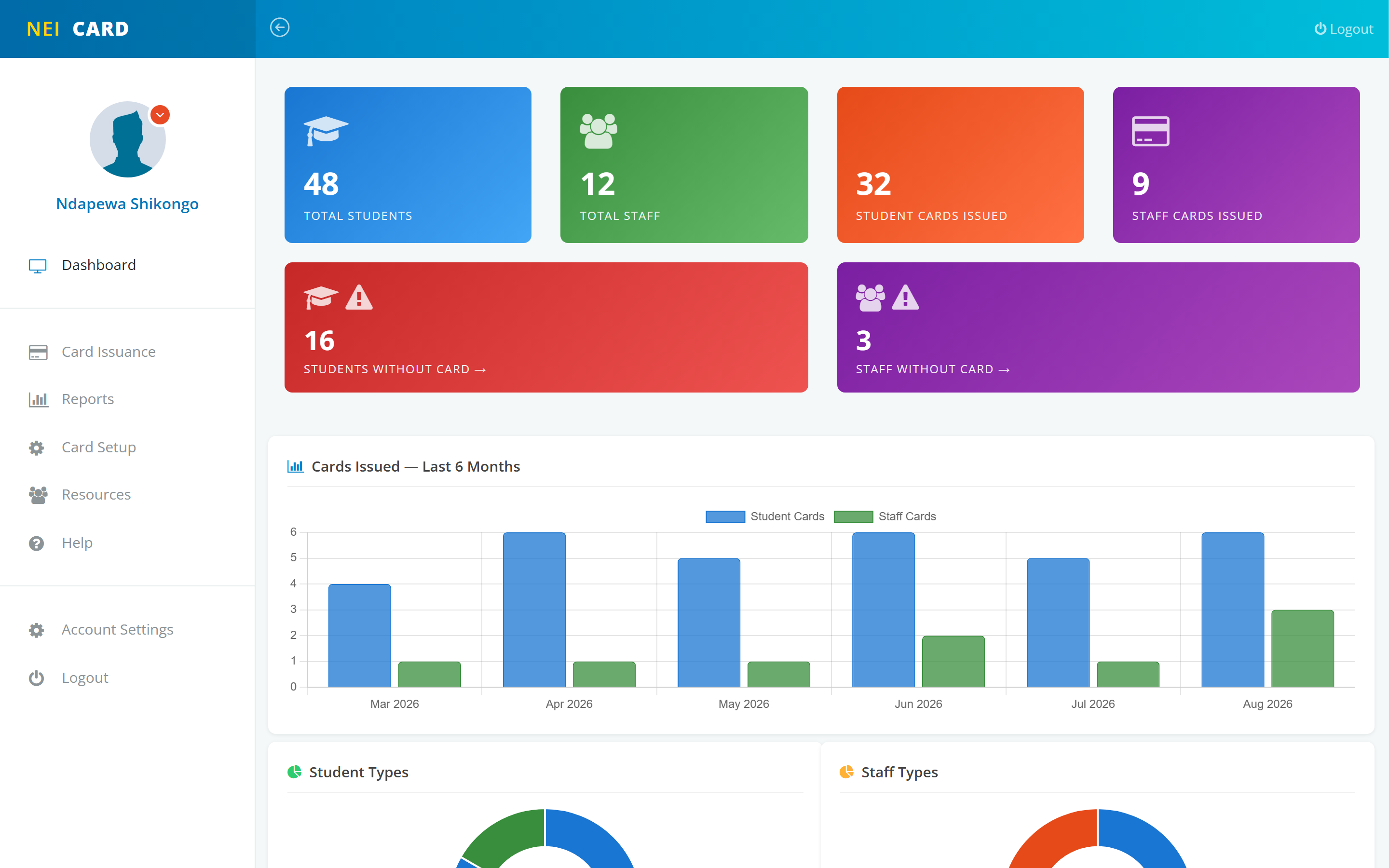
cards.neishot.com · Dashboard
NeiCARD dashboard: students, staff, cards issued and a six-month issuance chart
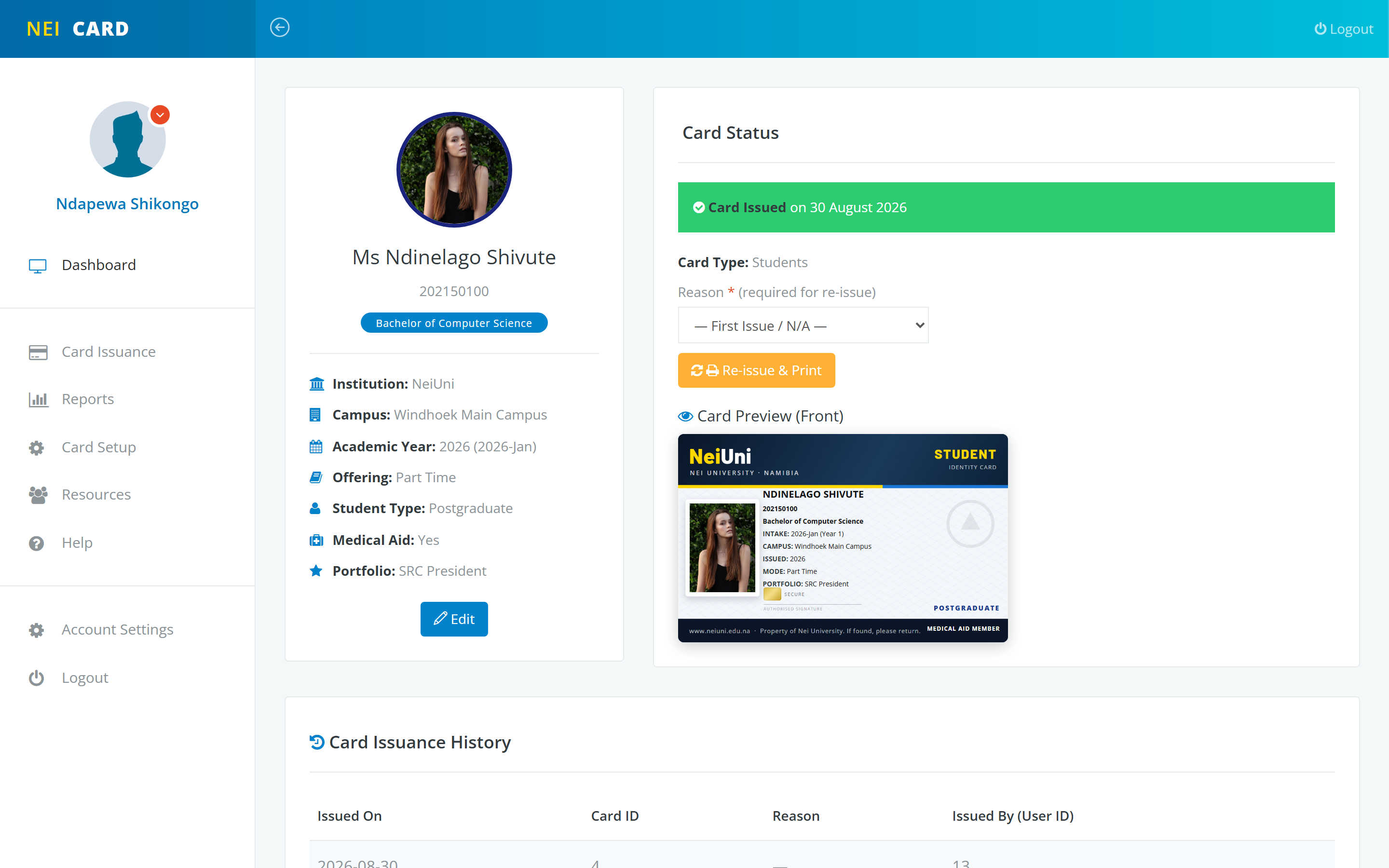
Student record · card preview and issuance
A student record with the printed card preview and issue button

Issue a card in one click

The preview shows exactly what will print. Reissues ask for a reason and keep the full history.

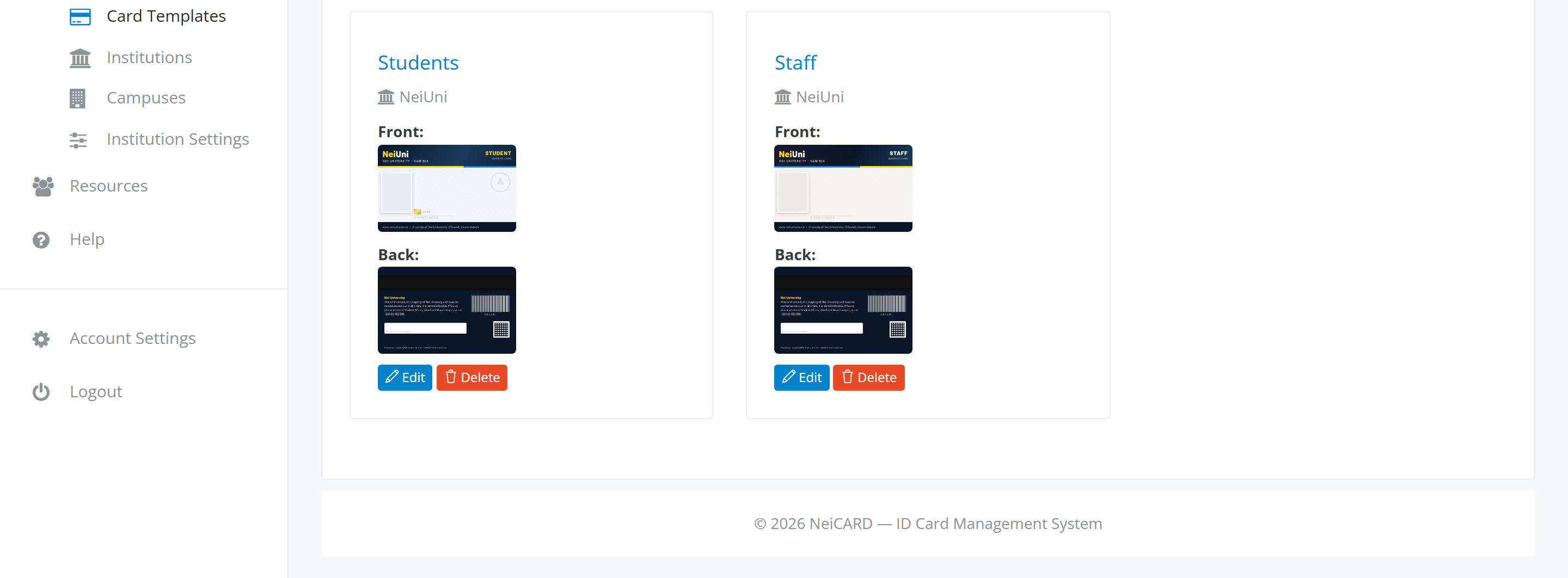
Card templates
Card templates per institution with front and back artwork

Your design, front and back

Upload your own card artwork per institution and card type. NeiCARD places the photo and details on it for every person.

Everything included

Built around how institutions actually issue cards

Student and staff cards

Separate templates and records for students and staff, with a portfolio line for roles like SRC President.

CSV import and export

Bring a whole intake in from a spreadsheet using the import template, preview it, then confirm. Export any list back out.

Issuance history

Every card issued, replaced or reprinted is on record with its date and reason, so nothing is disputed later.

Multiple institutions and campuses

Run several institutions and campuses in one system, each with its own settings, templates and people.

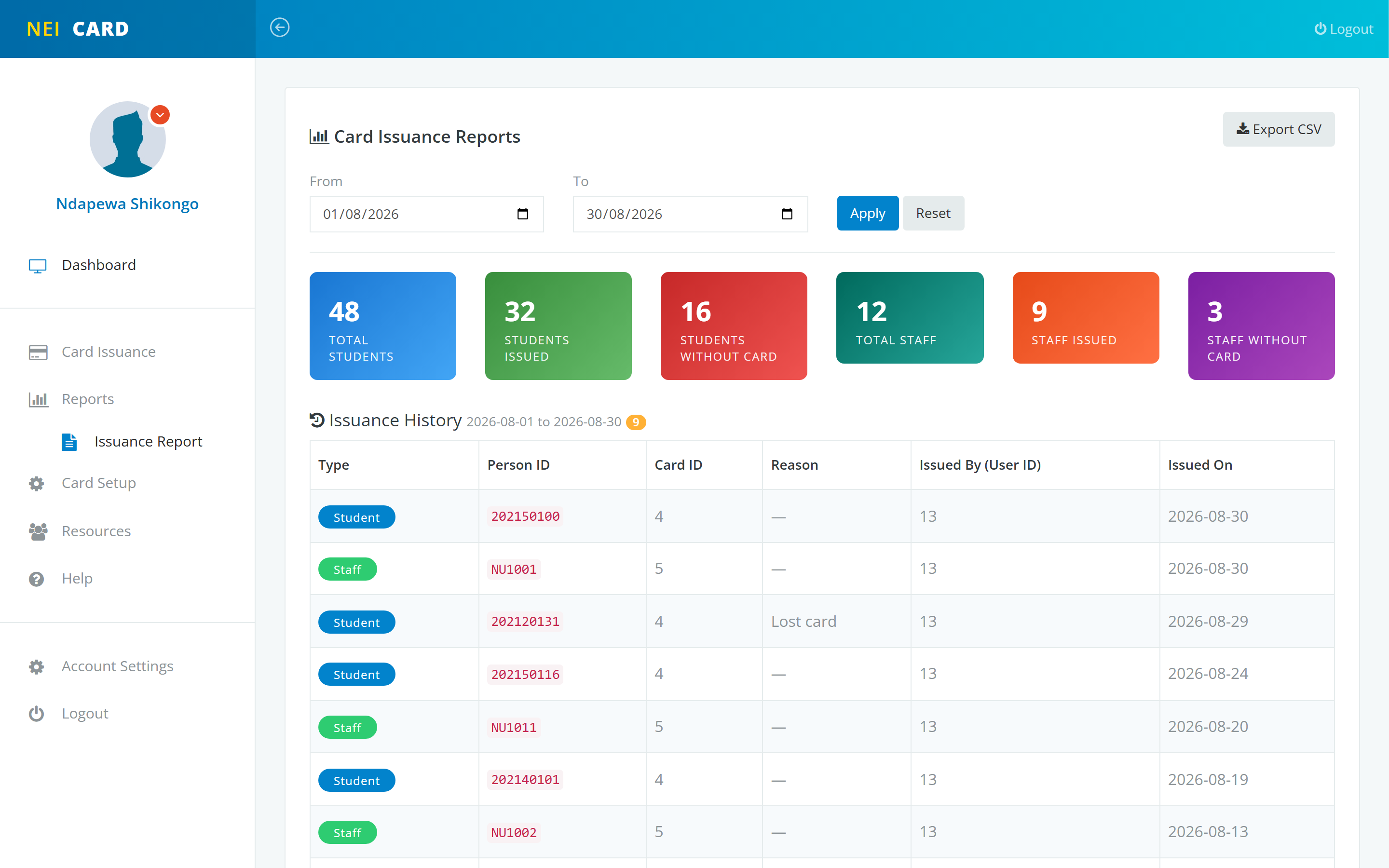
Card reports

Filter card reports by campus, date range and status, and export them for audits and reconciliation.

Roles, permissions and an audit log

Give operators only what they need, and see who did what and when across the whole system.

How it works

From spreadsheet to printed card in four steps

1

Load your card design

Upload the front and back artwork for each card type. Set it once per institution.

2

Bring in your people

Add students and staff one by one, import an intake from CSV, or let your student information system push them in through the API.

3

Issue and print

One click issues a card and produces the print-ready file. Reissues record the reason automatically.

4

Report and audit

Pull card reports by campus and date, and review the activity log for a complete trail.

Card reports
Card issuance report filtered by campus and date
Your Student Information System
NeiCARD

Registrations, course changes and new staff flow into NeiCARD automatically, so the card always matches the record and nothing is captured twice.

Works with what you already run

Connect NeiCARD to your Student Information System

Already have an SIS or an ERP? Connect it to the NeiCARD API and student and staff records flow into the card system automatically, matched on student or staff number, instead of being re-captured by your team.

  • REST API: your SIS pushes student and staff records as JSON, one at a time or in batches
  • Per-institution API keys that you issue and revoke yourself
  • CSV import with a downloadable template and a preview step, out of the box
  • Hosted and supported in Namibia, and we work with your IT team on the integration
Talk to us about your SIS
Get started

Bring your institution's ID cards into one system

We set up your institution, campuses and card templates with you, connect your student system, and train your registry team.